How to Clean Your Laptop Fan Properly and Maintain Cool Performance
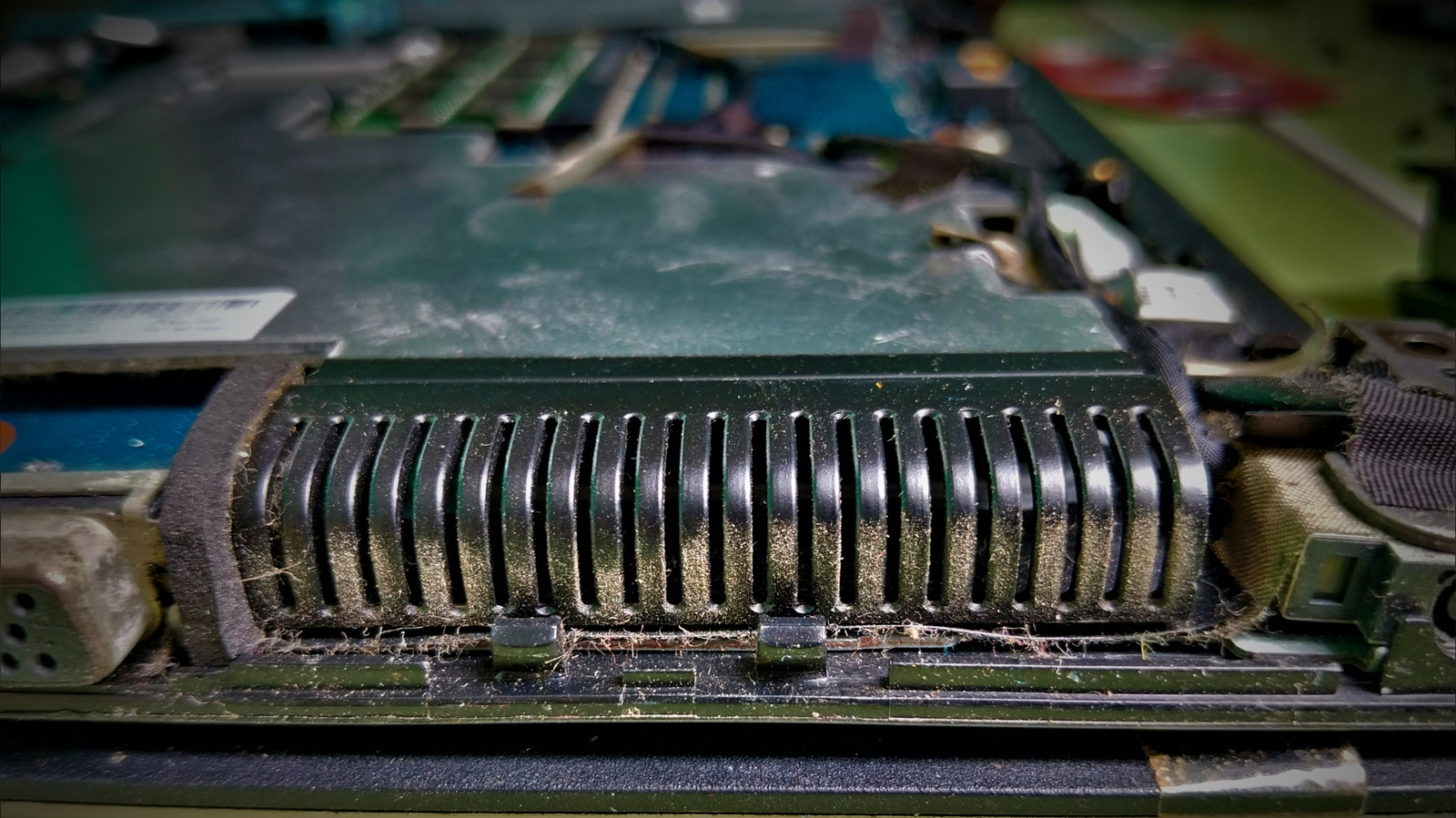
Preventing a laptop from overheating typically begins with a straightforward, frequently ignored chore: cleaning its cooling system. Accumulated dust and grime can block the intake vents and coat the fan blades, diminishing airflow and making the processor labor more, which may reduce the computer's lifespan.
Start by tackling the external vents prior to opening the unit. After shutting down the laptop and disconnecting it from power, a quick blast of compressed air should be aimed into each vent to shake loose any particles. This method is safe for the majority of models and can clear a large amount of buildup without requiring any tools.
Should airflow still be limited after the first blow‑out, the subsequent step is to open the chassis. With an appropriate screwdriver, detach the bottom panel to reveal the fan assembly. Then a more detailed cleaning is possible: a second round of compressed air removes deeper dust, and a soft brush can carefully sweep the fan blades and the adjacent heat sink.
During the entire procedure, handle all components cautiously. Do not touch the fan motor or any circuitry with bare hands, since static discharge can harm delicate parts. Numerous technicians advise grounding yourself or employing an antistatic wrist strap, particularly when servicing laptops equipped with high‑performance components.
After the fan and heat sink have been cleaned, put the laptop back together in reverse, making sure every screw is tightened according to the manufacturer’s specifications. Turn the device on again and watch the temperature with built‑in diagnostics or third‑party software to verify that cooling has improved.
Routine upkeep—preferably every six to twelve months, depending on the surroundings—helps avoid heat‑induced throttling and can prolong a laptop’s useful lifespan. By beginning with the vents and proceeding to internal cleaning only when needed, users can safely maintain efficient operation without undue risk or cost.


Comments (0)
Be the first to comment.
Join the discussion