How 3D Printing Infill Impacts Strength, Weight, and Print Time
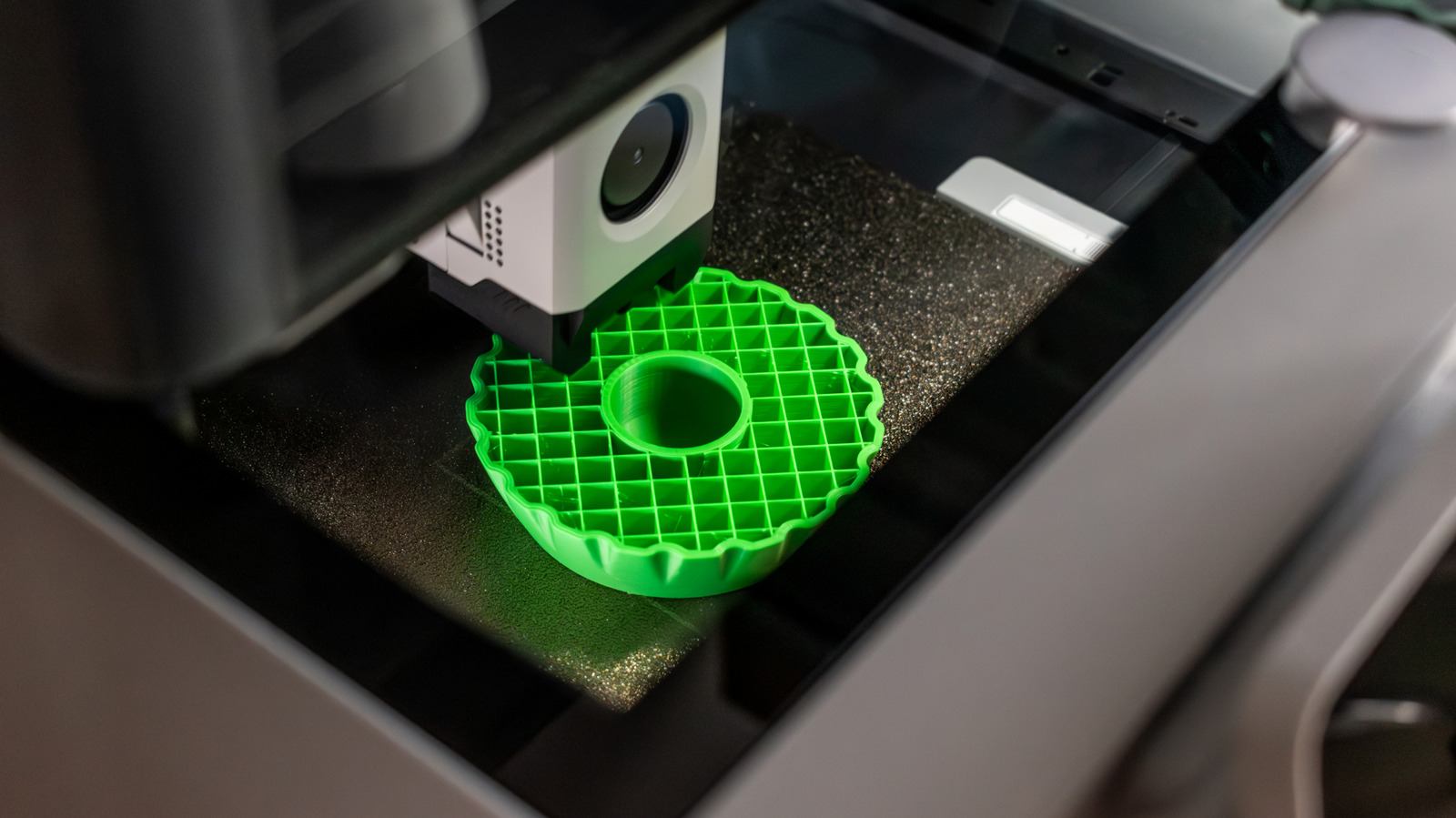
When a 3D printer constructs a model layer by layer, the internal lattice called infill is crucial in deciding whether the finished piece meets its intended purpose. The pattern, density, and placement of this inner structure can affect everything from mechanical strength to material usage and print time, making it one of the most commonly tweaked settings in slicer software.
Infill acts as the scaffolding that occupies the empty volume inside a printed object. While the outer walls—or perimeters—shape the visible exterior, the infill supplies the hidden framework that spreads loads and stops deformation. Typical patterns such as grid, honeycomb, gyroid, and triangle each bring specific compromises: a basic grid prints fast but offers lower isotropic strength, whereas a gyroid can provide uniform rigidity in all directions at the expense of longer processing.
Selecting the appropriate density involves a trade‑off. A higher fill rate, for example 80‑100%, yields a near‑solid part that can match traditionally machined components in strength, but it also uses more filament and noticeably lengthens the print. In contrast, low densities of 10‑20% suffice for decorative pieces, prototypes, or items that won’t bear major loads, enabling quicker prints and material savings. Many users employ a tiered strategy, boosting infill in load‑bearing zones while keeping other regions sparse, a capability supported by advanced slicers that allow variable infill within a single model.
Whether to include infill at all hinges on the part’s functional needs. For purely visual models, a hollow shell with minimal or no infill may be acceptable, especially when the design incorporates internal cavities or drainage holes. Conversely, functional parts like brackets, gears, or custom tools require a well‑chosen infill pattern and suitable density to prevent cracking, warping, or early failure under stress.
Looking forward, enhancements in printer firmware and slicer algorithms are making infill optimization more reachable. Adaptive infill, which automatically varies density based on geometry and predicted stress points, is becoming a standard feature in many professional‑grade software suites. As these tools evolve, makers and engineers can anticipate more efficient material use without sacrificing performance, reinforcing that careful infill selection remains a cornerstone of successful 3D printing.



Comments (0)
Be the first to comment.
Join the discussion