Apple Watch Theater Mode: How to Silence Your Wrist Without Turning Everything Off
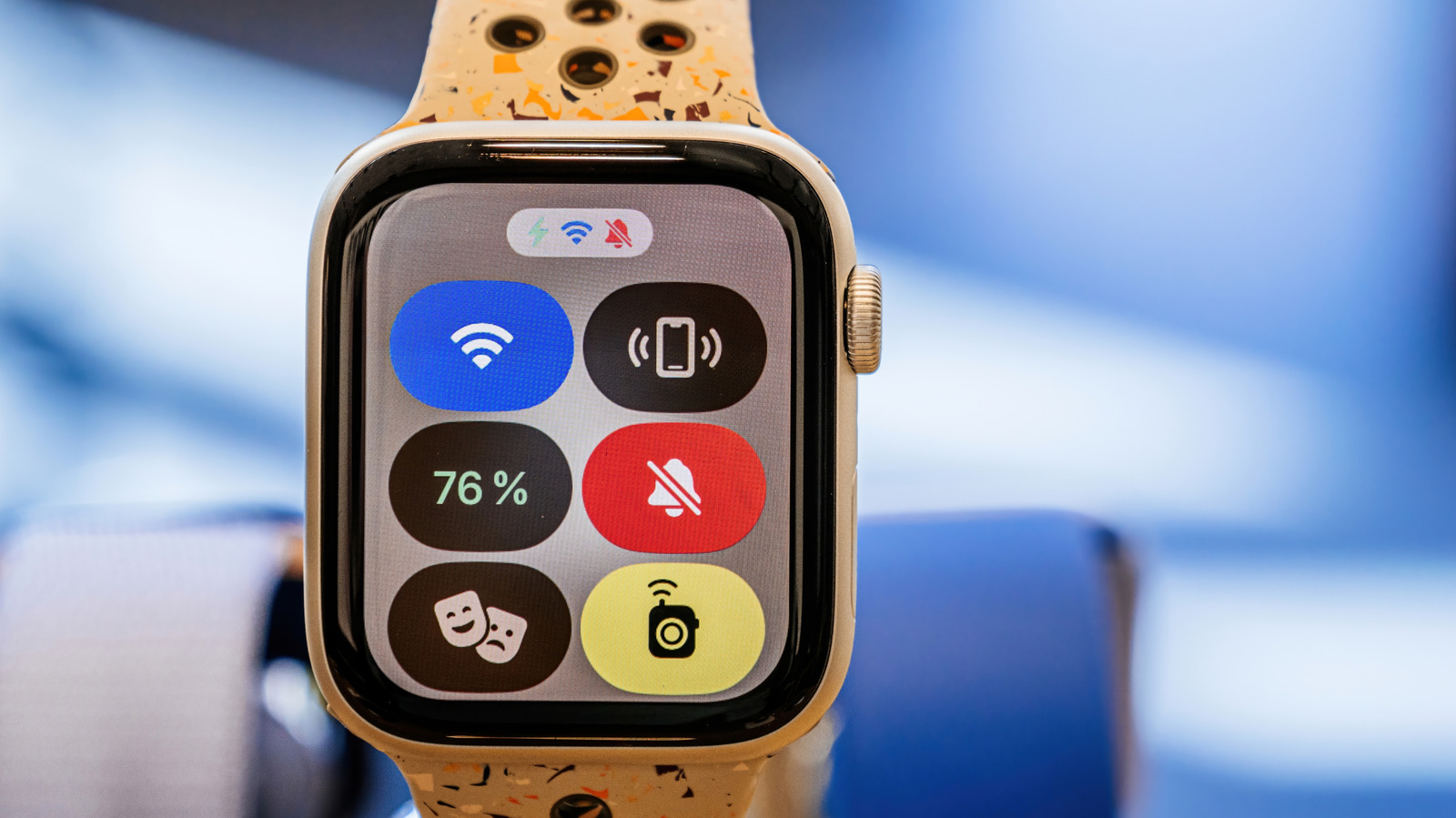
Apple Watch users now gain a compromise mute option called Theater Mode. Intended for moments when a full Do Not Disturb mode is too much, it prevents notifications from illuminating the display yet still lets haptic vibrations reach the wrist.
To turn on Theater Mode, swipe it on in the Control Center; the watch then keeps its screen dark until the wrist is lifted. Calls, texts and app alerts stay silent, but the gentle tap that marks a new notification still vibrates, keeping the wearer informed without any visual indication.
The feature occupies a middle ground between the expansive Do Not Disturb mode and the simple Silent option. Do Not Disturb silences both audio and haptics, whereas Silent only disables the speaker; Theater Mode, however, exclusively suppresses the visual element. This nuance is valuable for people who must remain unobtrusive yet alert, like during a presentation or a stage show.
There are many useful scenarios. In a dim theater, a bright flash can disturb both the audience member and others; Theater Mode stops the flash while still delivering vibrations for pressing messages. Similarly, meeting attendees can skip the glare of an illuminated display yet still sense important alerts. The mode is also convenient for nighttime reading or meditation, when visual disruptions are unwelcome but total disconnection isn’t required.
Apple has said nothing about quickly extending Theater Mode’s functions, yet the tool fits the firm’s larger drive toward context‑sensitive wearables. Users may pair it with current focus settings for a more personalized setup, and upcoming watchOS releases could add bespoke vibration schemes or third‑party app support. At present, the mode provides a handy middle ground for anyone wanting a quieter wrist while staying connected to their digital world.



Comments (0)
Be the first to comment.
Join the discussion