How to Seamlessly Access Google Maps on Apple CarPlay Despite Default Restrictions
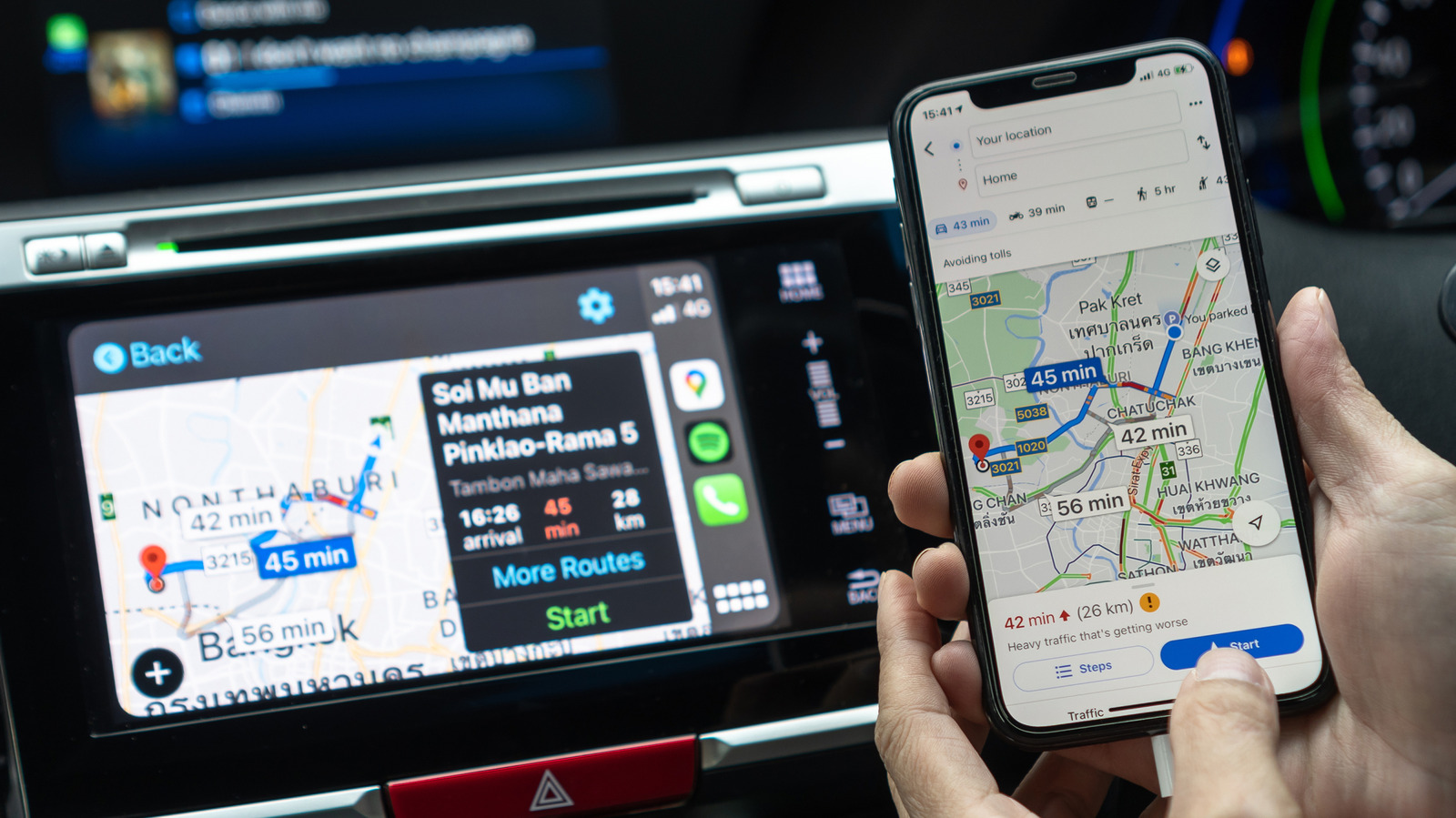
Users of Apple CarPlay who prefer Google Maps encounter an inherent restriction: the system prevents third‑party navigation apps from being set as the default GPS in the majority of markets. Although Apple Maps stays the default, a handful of useful tricks can simplify opening Google Maps on the road.
The CarPlay UI revolves around one designated navigation program, and Apple’s current rules stop developers from replacing that default except in a limited number of regions. This stance stems from technical integration concerns and local licensing deals, meaning drivers who depend on Google’s traffic forecasts and familiar interface lack a single‑tap option.
A popular tactic is to set up a Siri shortcut that opens Google Maps to a predetermined destination. Drivers can save a phrase like “Navigate to work” and link it to the shortcut. Activating the shortcut prompts Siri to launch Google Maps on the iPhone, and the navigation instantly shows up on the CarPlay display, eliminating menu‑browsing.
A second technique takes advantage of CarPlay’s search box. When the iPhone is linked, entering an address or POI brings up a roster of available navigation apps. Picking Google Maps from that roster launches turn‑by‑turn guidance. Additionally, users may begin a route in Google Maps prior to connecting the phone, enabling the app to transfer the navigation view to CarPlay automatically once linked.
These workarounds are valuable since a large share of drivers favor Google’s live traffic info, offline maps, and known layout. Easier access to the app lessens the urge to fiddle with the phone during travel, which promotes safer driving practices.
Looking forward, Apple has offered no indication of a near‑term shift in its default‑app stance, though user demand and ecosystem pressure might eventually trigger a change. In the meantime, employing Siri shortcuts, pre‑starting routes, and CarPlay’s search feature provides a workable solution for those who wish to use Google Maps while retaining CarPlay’s convenience.

Comments (0)
Be the first to comment.
Join the discussion